Your guests are bringing their streaming services with them.
It’s not news that millions of consumers are cutting the cord and ditching cable TV for streaming services like Netflix, Hulu, YouTube TV, Disney+, and well, by the time you read this many more services will have launched. They would rather watch the programming they are used to at home when they travel.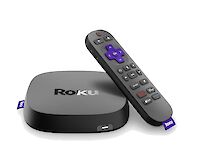
Supporting streaming for your guests is not hard and it is a fraction of the cost of providing cable TV service. It does take a little planning and a good amount of bandwidth. The payoff is almost immediate – higher guest satisfaction, repeated returns, and if you already pay to provide cable TV in-room or on-site you can lower costs as you reduce or eliminate the cost of cable programming and dedicated cable equipment.
Three key elements to providing successful streaming capable WiFi services are:
- Adequate bandwidth on property
- A WiFi controller that can prioritize and balance traffic and demands
- High capacity access points to connect your guests to the system
Bandwidth can be the trickiest part of the puzzle. We generally recommend 10Mb/s or more per guest room, RV site or boat slip, so if you have 100 rooms you want to get 1000Mb/s of bandwidth from your ISP. More is always better. If your ISP does not offer a large enough circuit you may need to get multiple circuits from your ISP, or from more than one ISP, if that is an option.
Your WiFi controller is the brains of the operation, validating users, making sure bandwidth is available on a fair basis and that users don’t abuse the system. Your WiFi controller will also manage your access points and connect to your Internet service provider, sometimes connecting to multiple circuits and ISPs. Your WiFi controller should be capable of meeting more than your peak usage, so as WiFi usage grows (and it will) you do not need to replace or upgrade your system every year.
If the WiFi controller is the brains of your system, then the access points are the muscle. The access points are the devices spread across the property that interface over the air with all of your guests’ devices. The primary consideration is to be sure that you have enough access points close enough to your guest areas so that their devices can connect easily and reliably.
Just as some guests can be more challenging than others, guest WiFi devices can present different challenges to your WiFi system. Your WiFi access points may be faced with handling requests from dozens of devices simultaneously and need to be capable of delivering all of those streams of data instantly and without any delay.
Streaming - How much bandwidth is used?
Streaming uses more downloaded data than uploaded data. Download rates will vary among streaming services and streaming devices, but here are some typical download rates per stream:
SD stream 1GB/hour 2.22Mb/sec, 3Mb minimum recommended
HD stream 3GB/hour 6.66Mb/sec, 8Mb minimum recommended
UHD (~4K) stream 7GB/hour 15.55Mb/sec, 18Mb minimum recommended
Other activities:
Facetime .25GB/hour .5Mb/sec
Streaming radio .05Gb/hour .1Mb/sec
Streaming devices can adjust the quality of the audio and video to partially deal with poor bandwidth, but stability and consistency are important for a reliable stream.
Multiple ISP circuits can be combined to provide more bandwidth when needed.
The best choice is usually a fiber based ISP when available, they can offer symmetrical speeds and lower latency. Cable providers are also a good choice, although upload speeds are often lower.
Getting the bandwidth to the guests
Smartphones & streaming devices will be shielded from WiFi by walls and other structures. Make sure you have enough access points in areas where you need connectivity to compensate for these obstacles.
Connect as many of your access points as possible with Ethernet or fiber.
Anytime a trench or conduit is installed or opened for service add fiber – it costs less to install when combined with other work.
You can also re use coax to carry data – It is not as fast or as robust as fiber, but is economical and can get the job done.
Need help planning or upgrading your WiFi? CheckBox is happy to provide free layout assistance and quotes for upgrades. Call 866.345.9434 or support@checkboxsystems.net.